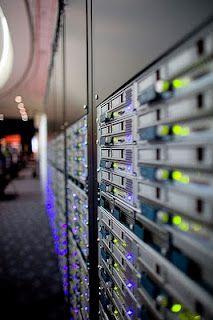
The Cisco UCS-C Series servers come with a terrific tool-less slide rail kit. The rail kit is compatible with 3/8" square hole and 1/4" round hole racks. The rail kit does not work with 2post racks and threaded hole racks.
I found two adapter kits from The Server Rack.
The Threaded Hole Rack Adapter Kit
The 2Post Rack Adapter Kit
http://www.server-racks.com/ciscos-slide-rail-kit-for-ucs-c200-c210-c250.html
That is all...
Home
My Ramblings on Cisco, VMware, EMC, NetApp, HP and Technologies That Catch My Eye.
Showing posts with label UCS. Show all posts
VMware ESXi 4.1 Optimizations for Cisco UC on UCS
In my previous post I discussed the importance of installing the latest version of VMware Tools on UC virtual servers in a Cisco UC on UCS deployment. A second and equally important VMware 'tweak' is disabling Large Receive Offload (LRO) on VMware ESXi hosts.
VMware Knowledge Base Article 1027511 addresses some Linux TCP/IP stacks perform poorly when handling LRO-generated packets. This results in poor TCP performance.
Your guest VMs should now have normal TCP networking performance.
References:
http://docwiki.cisco.com/wiki/Disable_LRO
VMware Knowledge Base - KB Article 1027511
Cisco UC on UCS - Don't Forget VMware Tools
Home
VMware Knowledge Base Article 1027511 addresses some Linux TCP/IP stacks perform poorly when handling LRO-generated packets. This results in poor TCP performance.
- Log into the ESXi host or its vCenter with vSphere Client.
- Select the host > Configuration > Software:Advanced Settings.
- Select Net and scroll down slightly more than half way.
- Set the following parameters from 1 to 0:
- Net.VmxnetSwLROSL
- Net.Vmxnet3SwLRO
- Net.Vmxnet3HwLRO
- Net.Vmxnet2SwLRO
- Net.Vmxnet2HwLRO
- Reboot the ESXi host to activate these changes.
Your guest VMs should now have normal TCP networking performance.
References:
http://docwiki.cisco.com/wiki/Disable_LRO
VMware Knowledge Base - KB Article 1027511
Cisco UC on UCS - Don't Forget VMware Tools
Home
Cisco UC on UCS - Don't Forget VMware Tools
Recently we upgraded a Cisco Unified Communications system running on physical HP servers, to Cisco UCS C-Series rack mount servers. Three days after the upgrade, all of the UC applications slowed down.
When users picked up their phone handset, there was a noticeable delay before dial tone. Delayed dial tone is a classic symptom of an overworked CallManager.
The Cisco UCS C210M2 servers were more than adequate for the load. Each UCS-C210M2 hosted VMware VMs of CallManager, Unity Connection, and UCCX. All of the VMs were deployed using the Cisco prescribed OVA templates.
So what is “VMware Tools”?
According to docwiki.cisco.com/wiki/VMware_Tools:
Now I understand Drivers. Up to date drivers are a good thing. Docwiki goes on to state:
Anyone who has read Cisco documentation before should realize, Cisco doesn’t often use the phrase “it is very important”. This is as close as Cisco gets to saying “you have to do this”.
So we installed VMware tools on all of the VMs and the Cisco voice system has been stable ever since.
Cisco has 3 methods for installing VMware Tools on Unified Communications Application VMs dependent on the UC Application version. Visit DocWiki-VMware Tools to find the appropriate method.
Please Note: VMware Tools will have to be re-installed anytime VMware ESXi is patched or upgraded.
Home
When users picked up their phone handset, there was a noticeable delay before dial tone. Delayed dial tone is a classic symptom of an overworked CallManager.
The Cisco UCS C210M2 servers were more than adequate for the load. Each UCS-C210M2 hosted VMware VMs of CallManager, Unity Connection, and UCCX. All of the VMs were deployed using the Cisco prescribed OVA templates.
![]() |
| Cisco UCS C210M2 |
So what is “VMware Tools”?
According to docwiki.cisco.com/wiki/VMware_Tools:
VMware Tools are specialized drivers for virtual hardware that is installed in the UC applications when they are running virtualized.
Now I understand Drivers. Up to date drivers are a good thing. Docwiki goes on to state:
It is very important that the VMware tools version running in the UC application be in sync with the version of ESXi being used.
Anyone who has read Cisco documentation before should realize, Cisco doesn’t often use the phrase “it is very important”. This is as close as Cisco gets to saying “you have to do this”.
So we installed VMware tools on all of the VMs and the Cisco voice system has been stable ever since.
Cisco has 3 methods for installing VMware Tools on Unified Communications Application VMs dependent on the UC Application version. Visit DocWiki-VMware Tools to find the appropriate method.
Please Note: VMware Tools will have to be re-installed anytime VMware ESXi is patched or upgraded.
Home
My Networking, Virtualization, Storage, Wireless, et al. Google Custom Search Engine
When I started this blog it had a single purpose. I had discovered the Google Custom Search Engine and I needed a web site to host it. I had become very proficient in structuring Google search to get the results I wanted. However, was primarily limiting these searches to vendor sites.
I found Google Custom Search rand realized I needed a website to host the search engine. So I created my blog billyc5022.blogspot.com
I am now up to 107 sites indexed. I use the Google CSE, everyday, all day. I find great results in my searches without obscure, meaningless sites.
I would like to do two things. #1 invite everyone to try it out. #2 solicit from you which sites I should add.
Please try it out and give me some feedback.
-bill
Home
I found Google Custom Search rand realized I needed a website to host the search engine. So I created my blog billyc5022.blogspot.com
I am now up to 107 sites indexed. I use the Google CSE, everyday, all day. I find great results in my searches without obscure, meaningless sites.
I would like to do two things. #1 invite everyone to try it out. #2 solicit from you which sites I should add.
Please try it out and give me some feedback.
-bill
Home
Telex Radio Dispatch System Integration with Cisco Unified Communications. Part 3
A reader has asked about our progress with this and it reminded me I haven't talked about our results.
I want to just reiterate what the Telex Radio Dispatch System is.
Telex provides an integration with multiple communications systems. This is commonly used in an environment where dispatchers communicate on multiple communications systems. The Telex C-Soft console provides dispatchers a point and click interface to interact with the various communications systems. Dispatchers can increase or decrease audio volumes from a specific radio system. They can also click on a specific radio system and, through their headset, talk on a particular radio system. The Telex Radio Dispatch System also allows for a phone system integration.
For example, consider an ambulance company. Their ambulances provide services for town A, town B, town C. All these towns communicate on specific radio channels. The ambulance company has radio towers and systems that connect to each radio channel/network. For each radio channel/network/town, Telex has a VoIP adapter that converts the radio communications to VoIP. The Telex system multicasts the audio from the radio system to the dispatchers.
For Cisco centric people, think Cisco IPICS.
We were brought in to integrate a Cisco CallManager phone system with the Telex system.
The primary problem we had was the integration between the physical phone and the Telex C-Soft Dispatch console. The physical integration is provided via in-line adapter connected to the phone (See Part 1). Often a NENA compliant phone is used. Cisco, as well as most other vendors, do not have NENA compliant phones (We later learned NENA compliant phones can cost several thousand dollars a piece). When an inbound call is presented to the dispatcher, they can answer the call by clicking on the appropriate icon on the dispatch console.
We connected a Cisco IP Phone to the Telex in-line adapter. On an inbound call, the dispatcher had to physically press the appropriate button on the phone to answer the call. This would not work, the customer wanted to use the C-Soft Dispatch Console to click and answer the call.
We tried removing a physical phone all together and use the C-Soft SIP phone. This worked ok for receiving calls. The C-Soft SIP phone was configured as a basic SIP phone in CallManager. To place outbound calls, dispatchers had to append @10.1.1.1 (CallManager's IP Address) to every outbound call, either internal or external. I held out hope the SIP client would work, but it looked to me like a freeware no frills SIP softphone. For the customer, this was a no go.
We found a small company in California which produces a box which connects to a physical phone (pretty much any phone) and provides the proper signalling to integrate with Telex (Sorry I don't have the companies name right now, but I can find it on request). With this box, dispatchers could click to answer the call, however C-Soft didn't pickup the audio.
After much troubleshooting we found the phone system needed to generate a tone or a beep when the call was answered to cause C-Soft to "hear" the call and mix the audio. After banging our heads together a co-worker suggested enabling the "call recording tone" on the dispatchers phones. This is normally used to play a tone to callers indicating the call is being recorded. We were not using a call recording system, but playing this tone caused the C-Soft console to recognize the call and mix the audio.
Telex Radio Dispatch System Integration with Cisco Unified Communications. Part 1
Telex Radio Dispatch System Integration with Cisco Unified Communications. Part 2
Home
I want to just reiterate what the Telex Radio Dispatch System is.
Telex provides an integration with multiple communications systems. This is commonly used in an environment where dispatchers communicate on multiple communications systems. The Telex C-Soft console provides dispatchers a point and click interface to interact with the various communications systems. Dispatchers can increase or decrease audio volumes from a specific radio system. They can also click on a specific radio system and, through their headset, talk on a particular radio system. The Telex Radio Dispatch System also allows for a phone system integration.
For example, consider an ambulance company. Their ambulances provide services for town A, town B, town C. All these towns communicate on specific radio channels. The ambulance company has radio towers and systems that connect to each radio channel/network. For each radio channel/network/town, Telex has a VoIP adapter that converts the radio communications to VoIP. The Telex system multicasts the audio from the radio system to the dispatchers.
For Cisco centric people, think Cisco IPICS.
We were brought in to integrate a Cisco CallManager phone system with the Telex system.
The primary problem we had was the integration between the physical phone and the Telex C-Soft Dispatch console. The physical integration is provided via in-line adapter connected to the phone (See Part 1). Often a NENA compliant phone is used. Cisco, as well as most other vendors, do not have NENA compliant phones (We later learned NENA compliant phones can cost several thousand dollars a piece). When an inbound call is presented to the dispatcher, they can answer the call by clicking on the appropriate icon on the dispatch console.
We connected a Cisco IP Phone to the Telex in-line adapter. On an inbound call, the dispatcher had to physically press the appropriate button on the phone to answer the call. This would not work, the customer wanted to use the C-Soft Dispatch Console to click and answer the call.
We tried removing a physical phone all together and use the C-Soft SIP phone. This worked ok for receiving calls. The C-Soft SIP phone was configured as a basic SIP phone in CallManager. To place outbound calls, dispatchers had to append @10.1.1.1 (CallManager's IP Address) to every outbound call, either internal or external. I held out hope the SIP client would work, but it looked to me like a freeware no frills SIP softphone. For the customer, this was a no go.
We found a small company in California which produces a box which connects to a physical phone (pretty much any phone) and provides the proper signalling to integrate with Telex (Sorry I don't have the companies name right now, but I can find it on request). With this box, dispatchers could click to answer the call, however C-Soft didn't pickup the audio.
After much troubleshooting we found the phone system needed to generate a tone or a beep when the call was answered to cause C-Soft to "hear" the call and mix the audio. After banging our heads together a co-worker suggested enabling the "call recording tone" on the dispatchers phones. This is normally used to play a tone to callers indicating the call is being recorded. We were not using a call recording system, but playing this tone caused the C-Soft console to recognize the call and mix the audio.
Telex Radio Dispatch System Integration with Cisco Unified Communications. Part 1
Telex Radio Dispatch System Integration with Cisco Unified Communications. Part 2
Google Custom Search Engine - Add it to Chrome and Maybe Other Browsers
As part of this blog page, I created a Google Custom Search Engine. You can too at the Google Custom Search Engine page.. My Google CSE searches (as of tonight) 69 different web sites and domains. I have included sites relating to Cisco, HP, EMC, NetApp, and VMware. These include the vendor sites, related youtube sites, wikipedia, partner and consulting companies sites, and many blog sites. In total, 78 web sites are searched.
You can add the Google Custom Search Engine to your browser. The search URL is:
http://www.google.com/cse?cx=partner-pub-9009433438610720%3Aa8n99q4pp4c&ie=ISO-8859-1&q=%s
ps. for those of you who don't hear it enough...Here is the famous Cisco MoH
You can add the Google Custom Search Engine to your browser. The search URL is:
http://www.google.com/cse?cx=partner-pub-9009433438610720%3Aa8n99q4pp4c&ie=ISO-8859-1&q=%s
ps. for those of you who don't hear it enough...Here is the famous Cisco MoH
Telex Radio Dispatch System Integration with Cisco Unified Communications. Part 2
After much research, calls to our Cisco SE, a PDI case, and a conference call with Telex we have decided...
We are going to implement Telex SIP softphones on the desktops. This will provide the best solution short of rigging up some cables connecting the Cisco IP Phone headset port and auxiliary port to the Telex ADHB-4 box. Telex stated this solution has been available for five years but has only caught on in the last year.
Running this system on SIP softphones leaves me a little unsettled, I am somewhat comforted because Telex seems to be releasing updates to their software on a regular basis. This tells me they are actively fixing problems.
The main downside to this solution is the Cisco UCCX Call Center version 8.5 doesn't support 3rd party SIP phones. I can't say that I blame the UCC Business Unit since this could require testing and certifying many 3rd party SIP phones. In this testing, of course some vendors would be left out, customers would complain, and this would pull key staff away from fixing bugs and preparing the next version.
So I will configure CallManager, excuse me, Unified Communications Manager, with 3rd party SIP devices for the Dispatchers' SIP softphones.
We have two UCMs and the softphones allow for one entry for a SIP server, either IP Address or Domain Name. I read up on creating DNS server entries for SIP servers, so I think I will try creating one DNS SIP SVR entry for two IP addresses.
An email from Cisco referred to the Cisco Interoperability and Collaboration System (IPICS). This system is basically and Cisco UC systems with some Radio over IP integration. Without any experience on this, I this this is a very good and viable option, however the customer has already purchased a solution supporting the Radio, RoIP, and operator console functions. We are just trying to integrate telephony into the system.
Stay tuned...We will see how the Telex SIP softphones cooperate with Cisco UCM 8.5 (did I mention we are doing the Cisco UC on UCS with Cisco UCS-C servers?
FYI...I am also frustrated Cisco doesn't support Cisco Unified Enterprise Attendant Console server installed on the same Cisco UCS-C Class server which also have Cisco UCS installed on them....
While Cisco supports UxAC running on VMware, it is only supported on Cisco UCS-B or UCS-C servers. These servers can not have other Cisco UC systems loaded on them (same host server)...hhmmm....Such is the question...Install CxAC on Cisco UCS servers with VMware, (which is supported) or on Cisco UCS servers without Cisco UC apps are not installed
but not on those servers have other Cisco UC applications (which is not supported), Install on VMware with other Cisco UCS servers (which is permitted) or install on
-Bill
We are going to implement Telex SIP softphones on the desktops. This will provide the best solution short of rigging up some cables connecting the Cisco IP Phone headset port and auxiliary port to the Telex ADHB-4 box. Telex stated this solution has been available for five years but has only caught on in the last year.
Running this system on SIP softphones leaves me a little unsettled, I am somewhat comforted because Telex seems to be releasing updates to their software on a regular basis. This tells me they are actively fixing problems.
The main downside to this solution is the Cisco UCCX Call Center version 8.5 doesn't support 3rd party SIP phones. I can't say that I blame the UCC Business Unit since this could require testing and certifying many 3rd party SIP phones. In this testing, of course some vendors would be left out, customers would complain, and this would pull key staff away from fixing bugs and preparing the next version.
So I will configure CallManager, excuse me, Unified Communications Manager, with 3rd party SIP devices for the Dispatchers' SIP softphones.
We have two UCMs and the softphones allow for one entry for a SIP server, either IP Address or Domain Name. I read up on creating DNS server entries for SIP servers, so I think I will try creating one DNS SIP SVR entry for two IP addresses.
An email from Cisco referred to the Cisco Interoperability and Collaboration System (IPICS). This system is basically and Cisco UC systems with some Radio over IP integration. Without any experience on this, I this this is a very good and viable option, however the customer has already purchased a solution supporting the Radio, RoIP, and operator console functions. We are just trying to integrate telephony into the system.
Stay tuned...We will see how the Telex SIP softphones cooperate with Cisco UCM 8.5 (did I mention we are doing the Cisco UC on UCS with Cisco UCS-C servers?
FYI...I am also frustrated Cisco doesn't support Cisco Unified Enterprise Attendant Console server installed on the same Cisco UCS-C Class server which also have Cisco UCS installed on them....
While Cisco supports UxAC running on VMware, it is only supported on Cisco UCS-B or UCS-C servers. These servers can not have other Cisco UC systems loaded on them (same host server)...hhmmm....Such is the question...Install CxAC on Cisco UCS servers with VMware, (which is supported) or on Cisco UCS servers without Cisco UC apps are not installed
but not on those servers have other Cisco UC applications (which is not supported), Install on VMware with other Cisco UCS servers (which is permitted) or install on
-Bill
Telex Radio Dispatch System Integration with Cisco Unified Communications. Part 1
I have Telex Radio Dispatch system I want to integrate with a Cisco phone system.
Side note: Using two Cisco UCS C-Servers with VMware. Cisco' UC on UCS. Works great!
Telex system has interfaces to the radio networks and the telephone network.
Each user has a Telex ADHB-4. This device mixes the audio from the different Radio networks and the telephone. Coming out of the ADHB-4 is a headset for the dispatcher. The dispatcher has a desktop application were they can select different audio sources and the ability to combine audio channels.
The interface between the phone needs audio tx and rx along with on/off hook switch and ground across 6-wires. The box/application needs the hook switch to answer and hang up calls.
I am wondering if I can create a cable from the Phone to the Telex Device. Telex provides a basic diagram:
I would think I could get TX and RX audio and Ground from the phones headset port. I would also think I could get Hook Switch from the phones aux port (this is the port used for the wireless hook switch feature).
We will see how today goes, I am almost onsite.
I'll keep you posted.
-Bill
Side note: Using two Cisco UCS C-Servers with VMware. Cisco' UC on UCS. Works great!
Telex system has interfaces to the radio networks and the telephone network.
Each user has a Telex ADHB-4. This device mixes the audio from the different Radio networks and the telephone. Coming out of the ADHB-4 is a headset for the dispatcher. The dispatcher has a desktop application were they can select different audio sources and the ability to combine audio channels.
The interface between the phone needs audio tx and rx along with on/off hook switch and ground across 6-wires. The box/application needs the hook switch to answer and hang up calls.
I am wondering if I can create a cable from the Phone to the Telex Device. Telex provides a basic diagram:
I would think I could get TX and RX audio and Ground from the phones headset port. I would also think I could get Hook Switch from the phones aux port (this is the port used for the wireless hook switch feature).
We will see how today goes, I am almost onsite.
I'll keep you posted.
-Bill
Subscribe to:
Posts (Atom)